
The Dell OptiPlex 7020 Quick Start Guide provides instructions on how to connect the keyboard, mouse, network cable, and display to your computer.
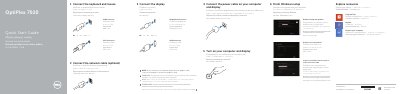
This document serves as a Quick Start Guide for the Dell OptiPlex 7020 series, covering both the Micro Tower (MT) and Small Form Factor (SFF) models. It provides multilingual instructions for connecting peripherals such as keyboards, mice, displays, and network cables, as well as powering on the system and completing the initial Windows setup.
| Models covered | OptiPlex 7020 MT, OptiPlex 7020 SFF |
|---|---|
| Regulatory model (MT) | D12M |
| Regulatory model (SFF) | D13M |
| Regulatory type (MT) | D12M001 |
| Regulatory type (SFF) | D13M001 |
The regulatory model is D12M for the MT version and D13M for the SFF version.
This guide covers the OptiPlex 7020 MT and the OptiPlex 7020 SFF.
You must connect the display to the discrete graphics card.
The regulatory model number for the OptiPlex 7020 MT is D12M.