
The Dell computer user manual introduces the connection and setup methods of the Dell computer.
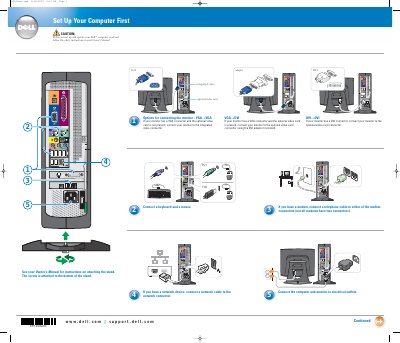
This document provides initial setup instructions for a Dell computer, specifically detailing how to connect various monitor types (VGA, DVI) and peripherals such as keyboards, mice, and modems. It includes a diagram illustrating the locations of the integrated video, optional video card, and VGA adapter connectors on the rear of the unit.
Connect the monitor to the integrated video connector if the optional video card is not present, or connect it to the optional video card connector using the included DVI adapter if the optional video card is present.
Connect a telephone cable to either of the modem connectors, noting that not all modems have two connectors.
These two connectors are used to connect accessories such as game controllers and digital cameras.