
The document describes how to set up a Dell computer, including connecting the monitor, keyboard, mouse, network, modem, and power cables.
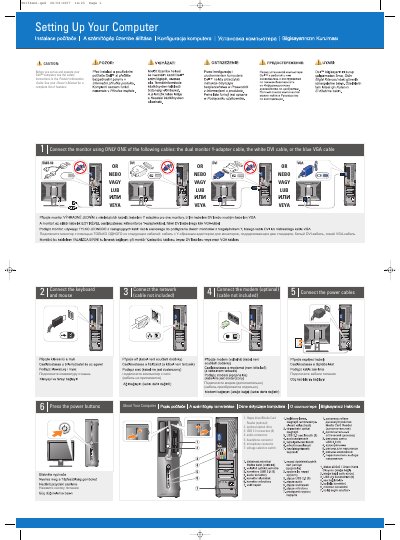
This setup guide explains how to connect a Dell computer, including the monitor using a dual monitor Y-adapter cable, white DVI cable, or blue VGA cable. It also covers connecting the keyboard and mouse, network, optional modem, and power cables, then pressing the power buttons.
The guide lists computer connectors and switches including USB 2.0 connectors, audio connectors, headphone and microphone connectors, optional drives, and the voltage selection switch. It includes optional wireless network setup steps and refers users to the Owner's Manual and support.dell.com for more information.
| USB 2.0 connectors | 6 |
|---|---|
| voltage selection switch | present |
| floppy drive/Media Card Reader | optional |
| optical drive | optional |
Use only one of the dual monitor Y-adapter cable, white DVI cable, or blue VGA cable.
No, the network cable is not included.
See the Owner's Manual or go to support.dell.com.