
Dell Vostro Computer Setup Guide

A guide to setting up a Dell computer, including connecting the monitor, keyboard and mouse, network, modem, and power cords.
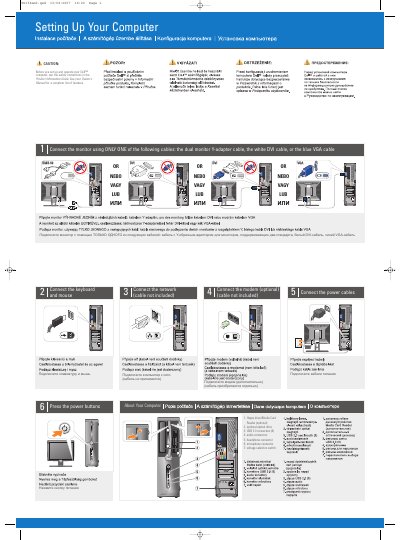

Dell Vostro Computer Setup Guide - cover page
Brand
DELL
Category
Desktops
Document type
User Manual
Language
English
Pages
2
File format
PDF
File size
3 MB
Published
20 November, 2023
Updated
20 November, 2023
MD5 checksum
DE6C4385E7957F0892C4B7167104ACE4

About this manual

This document provides step-by-step instructions for setting up a Dell Vostro computer. It details how to connect the monitor using specific cables (Y-adapter, DVI, or VGA), connect peripherals like the keyboard and mouse, and attach network and power cables. It also lists the computer's ports, including USB 2.0, audio, and voltage selection switches.

What's inside

  • Setting Up Your Computer
  • Connect the monitor
  • Connect the keyboard and mouse
  • Connect the network
  • Connect the modem
  • Connect the power cables
  • About Your Computer
  • Wireless Network
Download PDF (3 MB)

More DELL Manuals


View all DELL manuals →