
Dell Computer Setup Guide 0J6772A01

This document describes how to set up a Dell computer, including connecting a monitor, keyboard and mouse, and connecting the computer and monitor to power outlets.
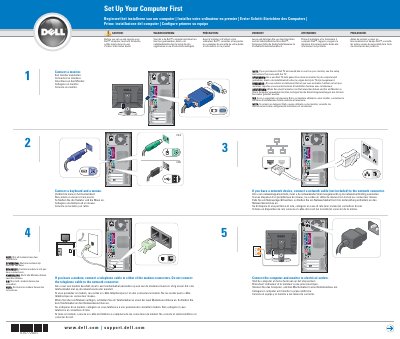

Dell Computer Setup Guide 0J6772A01 - cover page
Brand
DELL
Category
Desktops
Document type
User Manual
Language
English
Pages
2
File format
PDF
File size
453 KB
Published
20 November, 2023
Updated
20 November, 2023
MD5 checksum
0218D95131DE758A14CC520D3EE44BDB

About this manual

This document serves as a quick setup guide for Dell computers, available in multiple languages including English, Dutch, French, German, Italian, and Spanish. It provides step-by-step instructions for the initial configuration of the computer system.

What's inside

  • Connect a monitor
  • Connect a keyboard and a mouse
  • Connect to electrical outlets
  • Modem connections
  • Network connections
  • Dell TV setup
  • Integrated sound connectors
  • Owner's Manual access

Frequently asked questions

What should I do before setting up my Dell computer?

Read and follow the safety instructions in your Product Information Guide.

Where can I find more information about my computer?

Click the Start button and click Help and Support.

Download PDF (453 KB)

More DELL Manuals


View all DELL manuals →