
The Dell Precision 5820 Tower Quick Start Guide provides information on connecting the display, connecting the power cable and pressing the power button, product support and manuals, contacting Dell, regulatory and safety, regulatory model, regulatory type, and computer model.
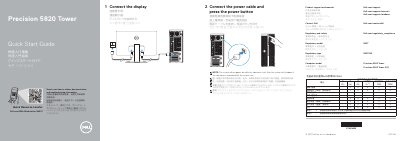
This document serves as a Quick Start Guide for the Dell Precision 5820 Tower workstation. It outlines the initial setup steps, which include connecting the display and the power cable, followed by pressing the power button to turn on the system. The guide also notes that the system will not power on if the side cover is removed while the system is on.
| Rated Voltage | 100-240Vac |
|---|---|
| Rated Frequency | 50/60Hz |
| Rated Input Current | 10-6.5A |
The system will shutdown.
No, the system will not power-on while the side cover is off.