
Dell Inspiron N411z Laptop Quick Start Guide

Dell N411z laptop quick start guide.
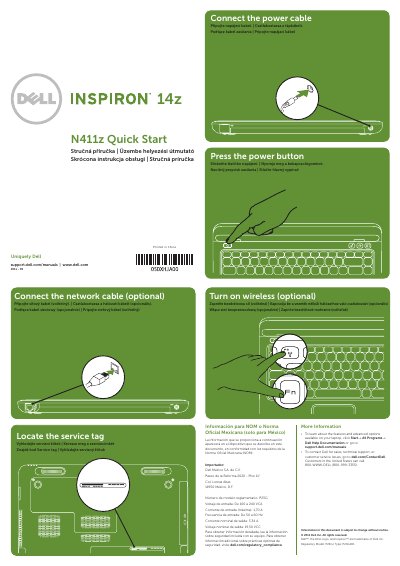

Dell Inspiron N411z Laptop Quick Start Guide - cover page
Brand
DELL
Category
Laptops
Document type
Quick Start Guide
Language
English
Pages
2
File format
PDF
File size
297 KB
Published
20 November, 2023
Updated
20 November, 2023
Model
N411z
MD5 checksum
3E6984F0F1C2E114FCDFB7F2403061AF

About this manual

Multilingual quick start guide for the Dell Inspiron N411z laptop. It shows how to connect power and network cables, turn on wireless, press the power button, and locate the service tag.

It also lists laptop features and controls, provides contact information for Dell sales, technical support, and customer service, and includes NOM regulatory information for Mexico.

What's inside

  • Connect the network cable (optional)
  • Locate the service tag
  • Turn on wireless (optional)
  • Connect the power cable
  • Press the power button
  • Features
  • Views
  • More Information
  • Información para NOM o Norma Oficial Mexicana (solo para México)

Specifications

Input voltage100 to 240 VAC
Input current (maximum)1.70 A
Input frequency50 to 60 Hz
Output current (rated)3.34 A
Output voltage (rated)19.50 VDC

Frequently asked questions

How do I learn about the laptop's features and advanced options?

Click Start, then All Programs, then Dell Help Documentation, or visit support.dell.com/manuals.

How do I contact Dell for sales, technical support, or customer service?

Visit dell.com/ContactDell; customers in the United States can call 800-WWW-DELL (800-999-3355).

What is the regulatory model number?

The regulatory model is P23G (Type P23G001).

Download PDF (297 KB)

More DELL Manuals


View all DELL manuals →