
Dell Inspiron 14/14R/M431R Laptop Quick Start Guide

Quick Start Guide for Dell Inspiron 14/14R/M431R Laptop.
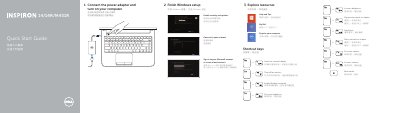

Dell Inspiron 14/14R/M431R Laptop Quick Start Guide - cover page
Brand
DELL
Category
Laptops
Document type
Quick Start Guide
Language
Chinese
Pages
2
File format
PDF
File size
243 KB
Published
20 November, 2023
Updated
20 November, 2023
MD5 checksum
C45F49744343D697B813CC22728FFE66

About this manual

This document serves as a Quick Start Guide for the Dell Inspiron 14/14R/M431R series of laptops. It outlines the initial steps required to complete the Windows setup process and register the device. The guide also provides a list of shortcut keys for common functions such as switching displays, adjusting volume, and managing wireless connectivity. This manual is written in Chinese.

What's inside

  • Finish Windows setup
  • Explore resources
  • Shortcut keys
  • Connect the power adapter
  • Features
  • Product support and manuals
  • Regulatory and safety

Frequently asked questions

What is the Dell Inspiron 14 Quick Start Guide used for?

This guide helps users finish Windows setup, explore resources, and learn how to use shortcut keys for tasks like switching displays or adjusting volume.

How many USB 3.0 ports does the Dell Inspiron 14-3421 have?

The laptop includes two USB 3.0 ports.

What models are covered in this Dell Inspiron Quick Start Guide?

The guide covers the Inspiron 14-3421, 14R-5421, M431R-5435, 3437, and 5437 models.

Download PDF (243 KB)

More DELL Manuals


View all DELL manuals →