
Dell P24G All-in-One PC Quick Start Guide

User manual for Dell monitor
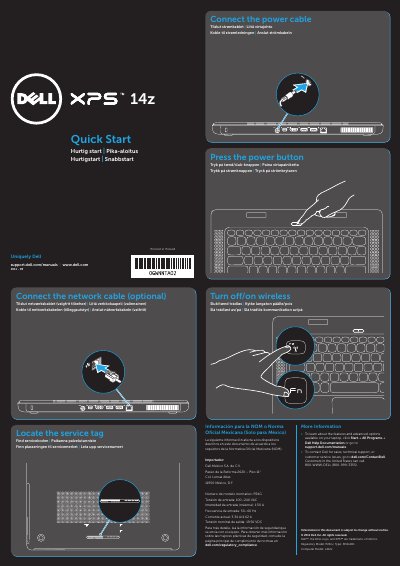

Dell P24G All-in-One PC Quick Start Guide - cover page
Brand
DELL
Category
All-in-One Desktops
Document type
Quick Start Guide
Language
English
Pages
2
File format
PDF
File size
210 KB
Published
20 November, 2023
Updated
20 November, 2023
MD5 checksum
FB0AD2FF6526594439B872C9BC1CEFF3

About this manual

This document serves as a Quick Start Guide for the Dell P24G All-in-One PC. It provides multilingual instructions on how to turn the device on or off, connect the power cable, and optionally connect a network cable. The guide also includes steps to enable or disable wireless communication.

What's inside

  • Locate the service tag
  • Turn off/on wireless
  • Connect the power cable
  • Connect the network cable
  • Features
  • Views
  • Regulatory Model
  • Computer Model

Specifications

Input Voltage100–240 VAC
Input Frequency50–60 Hz
Input Current (Max)1.50 A
Output Voltage19.50 VDC
Product TypeAll-in-One PC

Frequently asked questions

How do I turn wireless on or off?

The guide instructs users to 'Turn off/on wireless' as a specific step in the quick start process.

Is the network cable connection required?

No, the guide lists connecting the network cable as an optional step.

Download PDF (210 KB)

More DELL Manuals


View all DELL manuals →