
Quick start guide for Dell XPS 13 laptop.
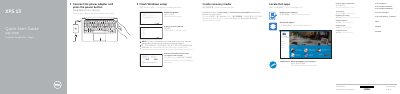
This quick start guide helps set up a Dell XPS 13 laptop. It covers connecting the power adapter, completing Windows setup, enabling Dell updates, connecting to a network, signing in to a Microsoft account, locating Dell apps, and creating recovery media.
It also identifies the laptop's features and shortcut keys and provides SupportAssist, registration, product support, contact, and regulatory information. The guide is printed in English, Chinese, and Indonesian.
| Computer model | XPS 9343 |
|---|---|
| Regulatory model | P54G |
| Regulatory type | P54G001 |
| Ports and connectors | Power-adapter port, Mini DisplayPort, USB 3.0 port, headset port, media-card reader, USB 3.0 port with PowerShare, security-cable slot |
| Battery-charge status lights | 5 |
Use SupportAssist to check and update your computer.
In Windows search, type Recovery, click Create a recovery media, and follow the instructions on the screen.
The regulatory model is P54G.