
Dell Venue Keyboard Folio Quick Start Guide

The Dell Venue Keyboard Folio User Guide.
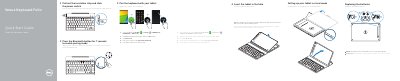

Dell Venue Keyboard Folio Quick Start Guide - cover page
Brand
DELL
Category
Other Computer Accessories
Document type
Quick Start Guide
Language
English
Pages
2
File format
PDF
File size
375 KB
Published
20 November, 2023
Updated
20 November, 2023
MD5 checksum
E1D12BB099B951246BBE3AE936CB60FA

About this manual

The guide explains how to pair the Dell Venue Keyboard Folio with a tablet, replace its batteries, insert the tablet into the folio, and set up stand mode. It also identifies keyboard features, shortcut keys, and regulatory information.

What's inside

  • Pair the keyboard with your tablet
  • Replacing the batteries
  • Insert the tablet in the folio
  • Setting up your tablet in stand mode
  • Features
  • Regulatory and safety
  • Product support and manuals

Specifications

Regulatory modelKW14M01

Frequently asked questions

How do I put the keyboard in pairing mode?

Press the Bluetooth button for 7 seconds.

Are batteries included with the keyboard?

Yes, the batteries are installed when you receive the keyboard.

How do I insert the tablet into the folio?

With the speaker on the left side, align the tablet base with the bottom of the tablet case and snap the tablet in place.

Download PDF (375 KB)

More DELL Manuals


View all DELL manuals →