
Dell Latitude 13 7000 Series Notebook Quick Start Guide

Dell Latitude 13 7000 Series Notebook Quick Start Guide.
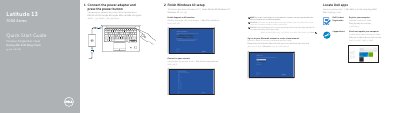

Dell Latitude 13 7000 Series Notebook Quick Start Guide - cover page
Brand
DELL
Category
Laptops
Document type
Quick Start Guide
Language
English
Pages
2
File format
PDF
File size
441 KB
Published
20 November, 2023
Updated
20 November, 2023
MD5 checksum
4A57631C01F1D50B4452318728DAA5C0

About this manual

This quick start guide helps set up a Dell Latitude 13 7000 Series notebook, including connecting power, completing Windows 10 setup, enabling support and protection, connecting to a network, signing in, locating Dell apps, registering the product, and running SupportAssist.

It also identifies notebook features, lists product support and manual resources, provides contact information, and includes regulatory, safety, and model details.

What's inside

  • Connect the power adapter and press the power button
  • Finish Windows 10 setup
  • Enable Support and Protection
  • Connect to your network
  • Locate Dell apps
  • Product Registration
  • SupportAssist
  • Features
  • Product support and manuals
  • Regulatory and safety

Specifications

USB Type C connectors2
Fingerprint readerOptional
Contactless card readerOptional
Smartcard readerOptional
Micro SIM card readerOptional

Frequently asked questions

What is the first setup step?

Connect the power adapter and press the power button.

What Windows setup step is included?

Finish Windows 10 setup.

Is the fingerprint reader standard?

The fingerprint reader is optional.

Where can I find Dell product support and manuals?

Dell provides product support and manuals online.

Download PDF (441 KB)

More DELL Manuals


View all DELL manuals →