
The Dell Vostro 20 3000 Series Quick Start Guide provides information on how to set up and use your Dell Vostro 20 3000 Series computer.
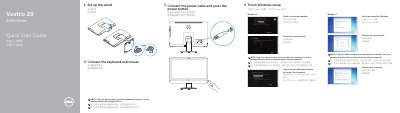
This document serves as a Quick Start Guide for the Dell Vostro 20 3000 Series desktop computer. It outlines the initial steps to set up the device, including installing the stand, connecting peripherals like the keyboard and mouse, and powering on the system. The guide also covers specific setup procedures for Windows 7 and Windows 8 operating systems, such as setting up passwords, connecting to networks, and enabling security updates.
Set up the stand.
The optical drive is optional.
Dell Backup and Recovery.
Yes, USB 3.0 connectors are listed among the features.