
The Dell Chromebox for Meetings 3010 Quick Start Guide provides instructions on how to connect and use the device.
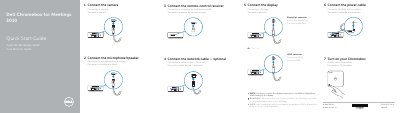
Dell Chromebox for Meetings 3010 Quick Start Guide describes connecting the camera, microphone/speaker, remote-control receiver, optional network cable, display, and power cable, then turning on the Chromebox. It also lists product features and steps to finish setup, including network verification, Google account sign-in, and video, audio, and microphone testing.
The guide is presented in English, French, and Spanish and includes Dell and Google support contacts plus regulatory information.
| Camera | HD Camera |
|---|---|
| USB connectors | USB 3.0 connectors |
| Input voltage | 19.5 VDC |
| Maximum input current | 3.34 A |
Switch the display's input source to HDMI or DisplayPort.
Video, audio, and microphone are tested.
Google support is at support.google.com/chromeboxformeetings and Dell support is at dell.com/support.