
This document describes the features and advanced options of Dell laptop.
This document serves as a Quick Start Guide for the Dell P33G/P25F power adapter, providing regulatory compliance information for the Official Mexican Standard (NOM). It details the input and output electrical specifications for the adapter and lists the compatible Dell Inspiron laptop models.
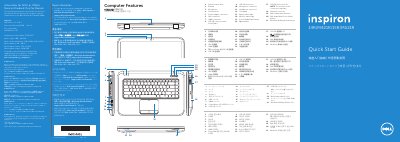
The guide also provides a visual overview of the laptop features, including ports and buttons, and offers step-by-step instructions for connecting the power adapter, turning on the device, setting up Windows, and using function keys for display, wireless, and audio control.
| Input voltage | 100–240 VAC |
|---|---|
| Input current (maximum) | 1.50 A/1.60 A/1.70 A/2.50 A |
| Input frequency | 50–60 Hz |
| Rated output voltage | 19.50 VDC |
| Rated output current | 3.34 A/4.62 A |
| Compatible Computer Models | Inspiron 5420/5425/5520/5525/7420/7520 |
This adapter is compatible with Inspiron models 5420, 5425, 5520, 5525, 7420, and 7520.
The adapter supports an input voltage of 100–240 VAC.
The rated output voltage is 19.50 VDC.
This adapter is compatible with Inspiron 5420, 5425, 5520, 5525, 7420, and 7520 models.