
Wyse 7000 Series thin client Wyse 7040 Quick Start Guide
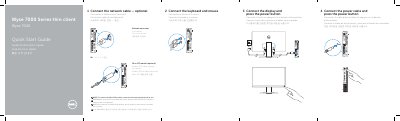
This Quick Start Guide shows how to set up the Wyse 7040 thin client. It covers connecting the power cable and pressing the power button, connecting a display, connecting the network cable as an optional step, and connecting a keyboard and mouse. It also explains how to remove the optional Fibre SFP module by rotating the latch and unplugging it from its slot.
A features section identifies the front and rear connectors and indicators, including the power button and power light, hard-drive activity light, headset and line-out connectors, USB 2.0 and USB 3.0 connectors, optional SFP connector, security-cable slot, padlock ring, cable holder, DisplayPort and HDMI connectors, power connector, network connector, and service tag.
| Input voltage | 19.5 V |
|---|---|
| Maximum input current | 3.34 A |
| Regulatory model | D10U |
| Computer model | Wyse 7040 |
| Display connectors | DisplayPort and HDMI |
| USB connectors | USB 2.0 and USB 3.0 |
Connect the power cable and press the power button.
No. The network cable connection is listed as optional.
Rotate the latch and unplug the module from its slot.
The features list includes a DisplayPort connector and an HDMI connector.