
HP 7000 Series Thin Client HP 7040 Quick Start Guide

HP 7000 Series Thin Client HP 7040 Quick Start Guide
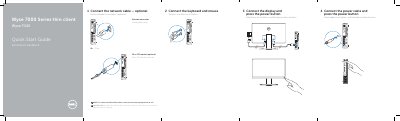

HP 7000 Series Thin Client HP 7040 Quick Start Guide - cover page
Brand
Wyse
Document type
Quick Start Guide
Language
English
Pages
2
File format
PDF
File size
619 KB
Published
20 November, 2023
Updated
20 November, 2023
MD5 checksum
A6A82058A8299D42AD1C79A2AD833A7B

About this manual

This document is the Quick Start Guide for the Wyse 7000 Series thin client, specifically model 7040. It provides instructions in English and German for connecting the power cable, display, network cable, and keyboard/mouse, as well as removing the optional Fiber SFP module.

What's inside

  • Connect the power cable
  • Connect the display
  • Connect the network cable
  • Connect the keyboard and mouse
  • Remove the Fiber SFP module
  • Features

Frequently asked questions

What are the steps to turn on the Wyse 7040 thin client?

To start the device, connect the power cable and press the power button.

Is connecting a network cable required to use the Wyse 7040?

No, connecting the network cable is listed as an optional step.

How do you remove the optional Fiber SFP module?

Rotate the latch and then unplug the module from its slot.

Download PDF (619 KB)

More Wyse Manuals


View all Wyse manuals →