
Inspiron 15 5000 Series Quick Start Guide.
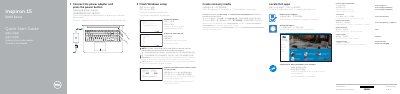
This quick start guide for the Dell Inspiron 15 5000 Series (computer model Inspiron 15-5557) walks through connecting the power adapter, pressing the power button, finishing Windows setup, enabling Dell updates, connecting to a network, and signing in to a Microsoft account or creating a local account. It also covers Dell Help & Support, SupportAssist, registering the computer, and creating recovery media.
The guide lists the laptop's features and ports, including the camera, microphones, USB 2.0 and USB 3.0 ports, HDMI port, network port, headset port, media-card reader, and security-cable slot, along with shortcut keys for audio, playback, display, brightness, wireless, and the Fn-key lock. Regulatory information is included for regulatory model P39F and regulatory type P39F003. This manual is written in Chinese.
| Computer model | Inspiron 15-5557 |
|---|---|
| Regulatory type | P39F003 |
| USB 3.0 ports | 2 |
| USB 2.0 port | 1 |
| HDMI port | 1 |
| Network port | 1 |
| Media-card reader | 1 |
| Headset port | 1 |
| Security-cable slot | 1 |
In Windows search, type Recovery, click Create a recovery media, and follow the instructions on the screen.
Enter the password for the wireless network access when prompted.
They include mute audio, volume decrease/increase, play previous/pause/next track, switch to external display, search, toggle keyboard backlight, brightness decrease/increase, wireless on/off, and Fn-key lock.