
The Nokia Pro True Wireless Earphones P3600 User Guide introduces the features, functions and使用方法 of the earphones.
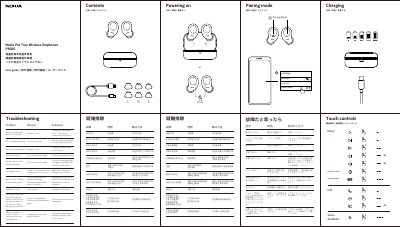
This document is the user guide for the Nokia P3600 True Wireless Earphones. It covers basic operations such as powering on, pairing with devices, and charging the earbuds and charging case. The guide also details touch controls for calls, voice assistants, music, ambient mode, and gaming. This manual is written in Chinese.
| Bluetooth Version | Bluetooth 5.2 |
|---|---|
| Supported Audio Formats | SBC, aptX adaptive |
| Effective Range | approx. 30ft (10m) |
| Earbud Battery Capacity | 45mAh |
| Charging Case Battery Capacity | 400 mAh |
| Earbud Operating Time | 6 hrs (music playback via A2DP) |
| Total Operating Time with Case | 24 hrs |
| Charging Time (Earphones) | approx. 2.0 hrs |
| Charging Time (Case) | approx. 2.0 hrs |
| Ingress Protection | IPX4 |
| Weight (Left Earbud) | approx. 4.6g |
| Weight (Right Earbud) | approx. 4.6g |
| Weight (Charging Case) | approx. 63g |
The battery is likely low. Charge the earphones for 2-3 hours and restart them.
The pairing may be incorrect. Pair the earphones again or reset them.
This happens when the battery is low. Charge the earphones for 2-3 hours.