
The CineMate ® 130 home theater system Quick Start Guide introduces the features and specifications of the product.
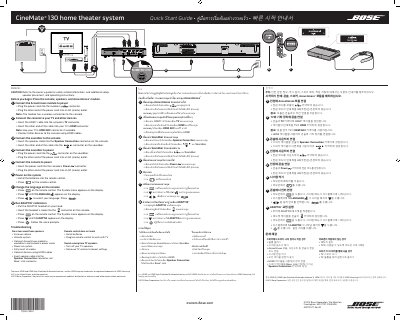
This quick start guide describes initial setup of the Bose CineMate 130 home theater system. It covers placing the console, speakers, and Acoustimass module; connecting the Acoustimass module, console, soundbar, TV, and other devices; powering on the system; changing the console language; and running ADAPTiQ calibration.
The guide also includes basic troubleshooting for a non-working remote control, no or low sound from speakers, and sound coming from TV speakers. It notes that the owner's guide contains safety-related information and additional setup, speaker placement, and operating instructions.
Install batteries and program the remote control to work with the TV.
Increase the volume, unmute the system, connect the Acoustimass module, soundbar, and console power cords, power on the system, fully insert all cables, connect devices using HDMI cables, and insert the speaker cable into the Speaker Connection connector rather than the Bose Link connector.