
Ranger C-8 Alarm User Manual, describes the features and functions of the product.
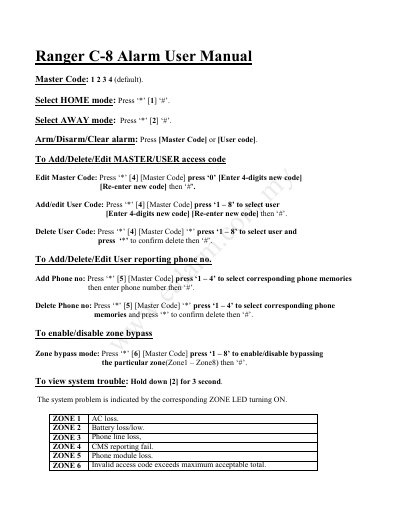
This document is the user manual for the Ranger C-8 alarm system. It provides instructions on setting the default master code, selecting HOME or AWAY modes, and arming or disarming the system using master or user codes. The guide details how to add, edit, or delete master and user access codes, as well as manage user reporting phone numbers.
| Default Master Code | 1 2 3 4 |
|---|---|
| Maximum User Codes | 8 |
| Maximum Phone Memories | 4 |
| Maximum Zones | 8 |
The default master code is 1 2 3 4.
Press '*' then '#' to select HOME mode.
Hold down the '2' key for 3 seconds to view system trouble.
ZONE 2 indicates a battery loss or low battery condition.