
This document describes the steps to extend provisional registration.
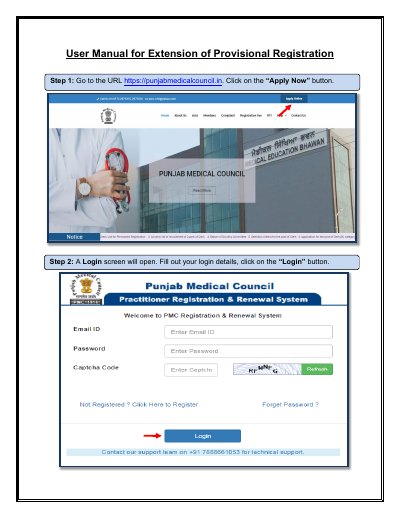
This document is a user manual for the Extension of Provisional Registration application process on the Punjab Medical Council website. It describes logging in, completing the application form, paying the application fee, re-checking details, and submitting or locking the application.
It also explains how to verify a payment, resume an unfinished application, check application status, print the application report, and receive or collect the registration certificate.
Go to the Payment History tab and click the Verify Payment button to check the status.
Click the Application Status tab and select the Resume Application button.
It is delivered by post to the registered address, with intimation sent to the registered email address, or it can be collected physically from the PMC.