
The禾小花coffee latte printer is a food printer that can easily and quickly print user-created images on the surface of food. The printing effect is realistic and loved by everyone.
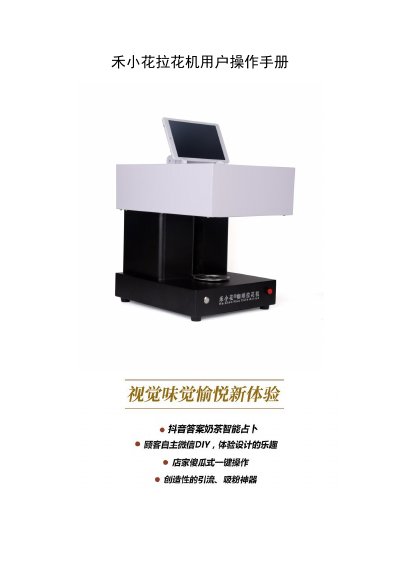
This is the user operation manual for the Hexiaohua (禾小花) coffee latte art printer, a machine that prints customer DIY images on the foam of coffee drinks, milk caps or cream using edible ink. The machine measures 30cm x 40cm x 41cm, weighs 15kg, and prints via an inkjet-style printhead onto the foam surface, with a lifting tray that adapts to cup heights of 5-18cm.
The manual explains the working principle, performance parameters, unboxing contents, wiring, first-time use (cartridge installation, test printing, parameter adjustment), daily operation including customer DIY, milk foam preparation, latte art and fortune-telling answer printing, driver and latte software installation on Windows PCs or tablets, print quality adjustment, cartridge refilling, maintenance, a Q&A troubleshooting section and after-sales service terms. The standard version requires a Windows computer with the supplied driver and software; the all-in-one version ships with a Windows tablet with software pre-installed. This manual is written in Chinese.
| Dimensions | 30cm x 40cm x 41cm (width, depth, height) |
|---|---|
| Weight | 15kg |
| Cup height | 5cm - 18cm |
| Cup diameter | Max 13cm |
| Print size | Max 11cm x 11cm |
| Colors | Color or coffee color, software color adjustment supported |
| Print time | 10s standard speed, 20s fine speed |
| Ink consumption | 5000 cups per 100ml |
| Power | 220V, 30W |
| Printing consumable | Food-safety certified edible ink |
The main power switch on the back of the machine may not be turned on; switch it to the on position.
Pressing the indicator light button in standby puts the printer into sleep mode; press it once so the light turns on again.
An empty ink color or a clogged printhead causes missing colors; check the cartridge nozzle with a tissue and refill ink promptly.
The print plane is too far below the cup rim; keep it level with the rim and no more than 3mm below it.