
Key facts
- Manuals
- 1
- Languages
- ZH
- Last added
- 2023-11-15
Featured 禾小花 manuals
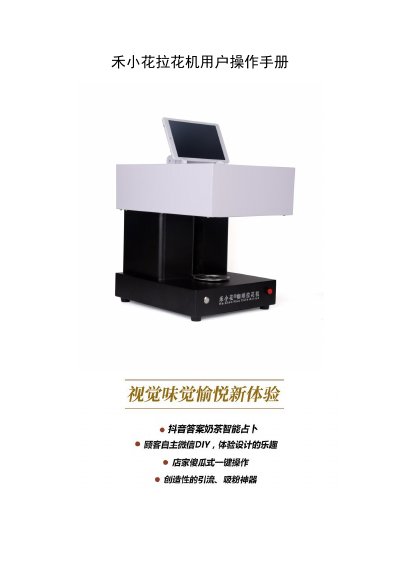
Hexiaohua Coffee Latte Art Printer User Manual
This is the user operation manual for the Hexiaohua (禾小花) coffee latte art printer, a machine that prints customer DIY images on the foam of coffee drinks, milk caps or cream using edible ink. The machine measures 30cm x 40cm x 41cm, weighs 15kg, and prints via an inkjet-style printhead onto the foam surface, with a lifting tray that adapts to cup heights of 5-18cm.
The manual explains the working principle, performance parameters, unboxing contents, wiring, first-time use (cartridge installation, test printing, parameter adjustment), daily operation including customer DIY, milk foam preparation, latte art and fortune-telling answer printing, driver and latte software installation on Windows PCs or tablets, print quality adjustment, cartridge refilling, maintenance, a Q&A troubleshooting section and after-sales service terms. The standard version requires a Windows computer with the supplied driver and software; the all-in-one version ships with a Windows tablet with software pre-installed. This manual is written in Chinese.
Covers: 概述 (Overview) · 产品简介 (Product Introduction) · 外形与接口 (Dimensions and Interfaces) · 工作原理 (Working Principle) · 性能参数 (Performance Parameters) · 开箱清单 (Unboxing Checklist)
Latest 禾小花 manuals
Hexiaohua Coffee Latte Art Printer User Manual
User Manual 62 pages · 4.6 MB · ZHUser manual for the Hexiaohua coffee latte art printer, covering setup, ink cartridge installation, printing, software installation, maintenance and…
Which document do I need?
User Manual
Day-to-day operation, settings and troubleshooting. Start here if the product is already set up.
Questions answered in 禾小花 manuals
Why is there no response after plugging in the power?
The main power switch on the back of the machine may not be turned on; switch it to the on position.
Why does the printer not print even though the tray lifts, with the indicator light off?
Pressing the indicator light button in standby puts the printer into sleep mode; press it once so the light turns on again.