
PRO BAR 18IP 18x18W RGBWAUV Waterproof Pixelbar is a waterproof LED display with 18 18W RGBWAUV pixels. It can be controlled via DMX512 and has 8 different functions.
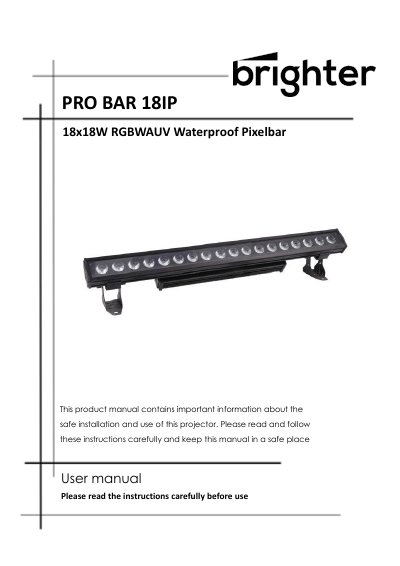
This manual describes the safe installation and use of the PRO BAR 18IP, an 18x18W RGBWAUV waterproof LED pixelbar projector. It explains the LED display panel with its menu, up, down and enter buttons, and lists the display window functions such as DMX address setting, channel mode selection, built-in color effects, running effects and sound control.
The document details the DMX512 channel layouts in 11, 29, 119 and 108 channel modes, including general dimmer, strobe, control mode selection, per-color dimmer channels and per-pixel channels. A parameter section lists the electrical, optical and physical specifications, including an IP65 rating, 25-degree beam angle and dimensions of 1050 x 110 x 170 mm.
| Voltage | AC100~240V, 50-60Hz |
|---|---|
| LED source | 18 pcs 18W 6-in-1 LEDs |
| Control modes | DMX512, Auto, M/S, Sound |
| Channels | 11 / 29 / 119 / 108 |
| Effects | Dimmer, color jump, color fade, flash, color choose, color pulse, water running |
| Dimmer | 0~100% linear dimming |
| Flash rate | 1~20Hz |
| Lens | Chrysanthemum type high transparent PMMA second optical lens |
| Beam angle | 25 degrees |
| Dimensions | 1050 x 110 x 170 mm |
| Weight | 7.2 kg |
| Housing color | Black / Silver |
| IP grade | IP65 |
| Working temperature | -30℃ ~ -50℃ (as printed) |
The fixture offers four DMX512 channel modes: 11, 29, 119 and 108 channels, selectable from the display window menu.
Press the menu button until the display shows A001, then use the up and down buttons to set the channel code from 001 to 512 and press enter to confirm.
Yes, the fixture has an IP65 rating, so it is protected against dust and water jets.
Besides DMX512, the fixture supports Auto, M/S (master/slave) and Sound control modes.