
This document is a user guide for the CC200 controller and the 026-1740 R16 display.
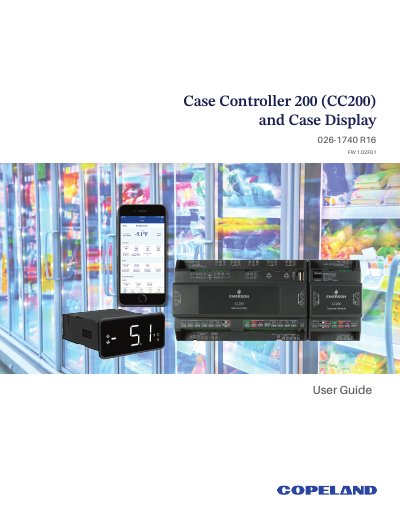
The Case Controller 200 (CC200) is a microprocessor-based controller for controlling temperature and superheat in refrigerated fixtures and walk-in boxes. It is suitable for medium and low temperature applications and can control all loads in a refrigerated box or fixture for up to three evaporator coils, including lighting, fans, defrost heaters, solenoid valves, stepper valves, and pulse width modulation valves. The control system consists of at least one CC200, one CC200 Case Display, and optionally up to three CC200 Expansion Modules (CEM).
This user guide covers powering and wiring the CC200, control logic such as temperature regulation, superheat control, defrost, and fan control, use of the Case Display, BACnet and Modbus networking, integration with Copeland E2E and E3 supervisory controllers, the Cold Chain Connect mobile app, parameter configuration, and technical specifications and part numbers. Firmware version covered is 1.02F01.
| Relay outputs | Five form C relays |
|---|---|
| Serial ports | Two RS485 ports |
| Ethernet ports | Two RJ45 ports for BACnet IP |
| Digital inputs | Four, user-configurable |
| Analog outputs | Two, 0-10VDC or 4-20mA |
| Pressure input | One for suction pressure transducer |
| Temperature inputs | Three color-coded inputs |
| Evaporator coils supported | Up to three per case |
| Case lineup support | Up to 8 cases |
| Expansion modules | Up to three CEM |
The CC200 supports seamless coordination of refrigeration case lineups with support for up to 8 cases in a lineup.
Yes, it communicates via BACnet or Modbus and is integrated into the Copeland E2E and E3 supervisory controllers, while running completely stand-alone.
Yes, the CC200 supports R744 (CO2) systems with CO2-capable pressure transducers, superheat control, and safeties.
Yes, the CC200 Case Display has Bluetooth connectivity for easy controller status and service, used with the Cold Chain Connect mobile application.