
This document is a user manual for LG sound bar, which introduces its features and functions.
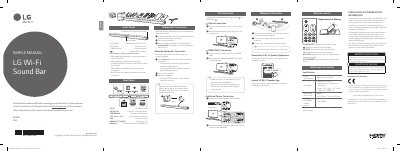
This simple manual is supplied with the LG SK8 Wi-Fi sound bar from LG Electronics. It describes the front panel buttons and LED indicator states, the rear panel connectors (DC IN, OPTICAL IN, PORTABLE IN, USB, LAN, HDMI OUT (TV ARC) and HDMI IN), and notes that instructions for advanced features are available in the Owner's Manual downloadable from www.lg.com. The document is printed in English and Traditional Chinese.
Setup sections cover automatic and manual pairing of the wireless subwoofer, TV connection by optical cable or HDMI ARC, connections for additional devices such as set-top boxes and players, and network connection using the LG Wi-Fi Speaker app. It also includes a remote control guide, specifications (360 W RMS total output power, approx. 1061.0 x 57.5 x 87.0 mm, DA-50F25 AC adapter), an open source software notice, and the EU declaration of conformity.
| Power consumption | Refer to the main label |
|---|---|
| AC adapter model | DA-50F25 |
| AC adapter input | 100 - 240 V ~ 50 - 60 Hz |
| AC adapter output | 25 V 0 2 A |
| Dimensions (W x H x D) | Approx. 1061.0 mm x 57.5 mm x 87.0 mm |
| Amplifier (Total RMS Output power) | 360 W RMS |
Connect the power cords of the sound bar and subwoofer to the outlet and turn on the sound bar; the two units connect automatically and the subwoofer's green LED turns on.
Press the Pairing button on the rear of the wireless subwoofer until its green LED blinks quickly, then turn on the sound bar; pairing is completed when the green LED turns on.
Connect it with an optical cable and set [External Speaker (Optical)] in the TV setting menu, or use an HDMI cable and set [External Speaker (HDMI ARC)]; HDMI connection is unavailable if the TV does not support HDMI ARC.
Download the "LG Wi-Fi Speaker" app from the App Store or Google Play Store, then follow the on-screen steps for wired or wireless connection.