
The LG LAS750M Sound Bar user manual provides setup, connection, safety, and specification details for the wireless multi‑room sound system.
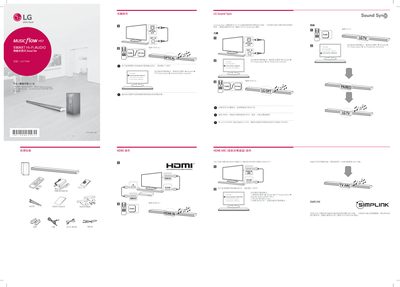
This manual explains how to configure the LG LAS750M Sound Bar with your TV, including TV sound output settings for Optical, HDMI ARC, and LG Sound Sync. It also covers remote‑control functions, Bluetooth pairing, and Wi‑Fi network setup using the Music Flow Player app.
Safety instructions, installation tips, and full product specifications are provided to ensure proper use and maintenance of the sound bar. This manual is written in Chinese.
| Power Input | 25 V 0.2 A |
|---|---|
| AC Adapter Model | DA-50F25 |
| Input Voltage | 100‑240 V ~ 50/60 Hz |
| Power Consumption | 45 W |
| Network Standby Power | 5.8 W |
| Amplifier Total Output | 360 W |
| Bluetooth Version | 4.0 |
| Dimensions (W×H×D) | 1060 x 45 x 82 mm |
| Weight | 2.5 kg |
Open the TV’s sound settings, select External speaker (HDMI ARC), turn ARC mode to On, and enable HDMI CEC.
Hold the reset button until you hear two beeps; the device will clear stored Wi‑Fi information.
Enter the default PIN code 0000 when prompted during Bluetooth setup.
Yes, you can use a TV remote to control power, volume, and mute functions if the TV supports external speaker control.