
This document is a Zoom user guide that explains how to join a Zoom meeting using the Tandberg TRC 4 remote control.
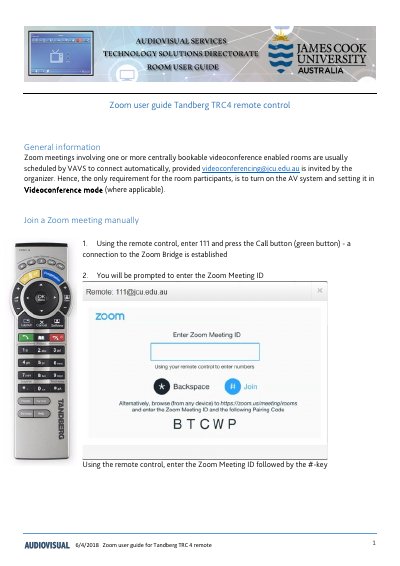
This document is a user guide for the Tandberg TRC 4 remote control. It provides instructions for connecting to Zoom meetings scheduled through a centrally bookable videoconference system.
To join a meeting, users must first establish a connection to the Zoom Bridge by entering '111' and pressing the Call button. Once connected, the user enters the Zoom Meeting ID followed by the #-key. If the host has not allowed guests to join before the host, the user will be prompted to enter the host key.
Using the remote control, enter 111 and press the Call button (green button) to establish a connection.
Enter the Zoom Meeting ID followed by the #-key using the remote control.
The host key is required if the host has not allowed guests to join before the host.