
Key facts
- Manuals
- 3
- Languages
- EN · ZH
- Last added
- 2026-09-28
Featured TANDBERG manuals
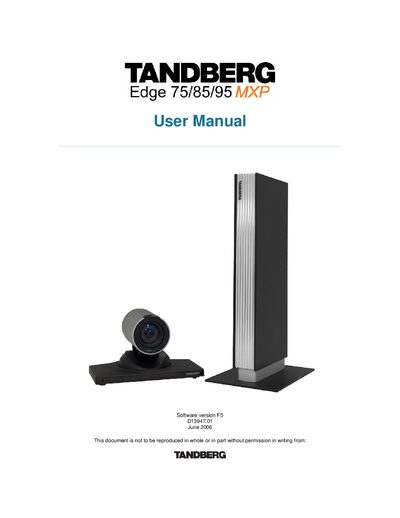
TANDBERG Edge 75/85/95 MXP User Manual
This manual covers everything you need to set up and use the TANDBERG Edge 75/85/95 MXP, including safety instructions, hardware connections, menu navigation, and advanced features such as streaming and camera control.
It also contains technical specifications, environmental information, and troubleshooting guidance for service personnel and end users.
Covers: Introduction · Installation · General Use · Camera Control · Presentation · Streaming
Tandberg Data SLR Series Tape Drive Installation and Operation Manual
This manual covers the installation, connection, power‑on self‑test, and normal operation of the Tandberg Data SLR series tape drives. It is intended for users and technicians who need to set up the device, configure SCSI IDs, and perform routine tape handling.
The document also includes details on tape capacity, hardware compression, safety precautions, and warranty terms, as well as technical support contact information for regional offices. This manual is written in Chinese.
Covers: Installation · SCSI Connection · Power‑On Self‑Test · Operation and Use · Tape Loading and Unloading · Tape Capacity and Compression
TANDBERG T550/T880/T1000/C2500/C6000 Video Meeting System User Manual
This manual covers the operation of the TANDBERG video meeting system, including basic usage, call handling, video control, and system settings. It guides users through everyday functions such as making calls, adjusting volume, and managing presets.
Key sections include installation and cabling, phonebook management, network and ISDN configuration, and advanced features like MultiSite (MCU) and dual‑video calls. The document is organized to help both novice and experienced users configure the system for reliable video conferencing. This manual is written in Chinese.
Covers: General Use · Call Handling · Video Control · Phonebook Management · Installation and Cabling · Network and ISDN Configuration
Latest TANDBERG manuals
TANDBERG Edge 75/85/95 MXP User Manual
User Manual 315 pages · 3.5 MB · ENThe TANDBERG Edge 75/85/95 MXP user manual provides installation, operation, and technical details for the video‑conferencing system.
Tandberg Data SLR Series Tape Drive Installation and Operation Manual
User Manual 13 pages · 788 KB · ZHThe Tandberg Data SLR series tape drive manual provides installation steps, SCSI connection, operation procedures, and warranty information.
TANDBERG T550/T880/T1000/C2500/C6000 Video Meeting System User Manual
User Manual 18 pages · 640 KB · ZHThe TANDBERG T550/T880/T1000/C2500/C6000 video meeting system user manual provides operating instructions, setup, and configuration details.
Which document do I need?
User Manual
Day-to-day operation, settings and troubleshooting. Start here if the product is already set up.
Questions answered in TANDBERG manuals
What is the maximum bandwidth for the Edge 95 MXP?
The Edge 95 MXP supports H.320 up to 512 kbps and H.323 & SIP up to 2 Mbps.
How many video inputs does the system have?
The system provides five video inputs: one DSUB, one MiniDin, two RCA/Phono connectors, and one DVI‑I.
What is the typical compression ratio of the SLR tape drives?
The built‑in hardware compression normally provides a ratio of about 2:1.
From: Tandberg Data SLR Series Tape Drive Installation and Operation Manual
How do I make a call?
Enter the remote number or IP address and press the Connect key.
From: TANDBERG T550/T880/T1000/C2500/C6000 Video Meeting System User Manual
How can I mute the microphone?
Press the MIC OFF key; a mute icon appears on the screen.
From: TANDBERG T550/T880/T1000/C2500/C6000 Video Meeting System User Manual