
The XENYX 1003B is a 10-input analog mixer with 5 mic preamps and optional battery operation. It features XENYX mic preamps, British EQ and 24-bit FX processor.
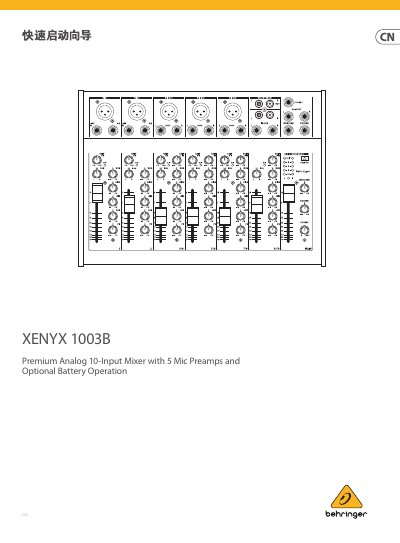
The XENYX 1003B is a premium analog 10-input mixer with 5 mic preamps and optional battery operation. This quick start guide covers safety instructions, connection examples, the control layout, basic operating steps, and technical specifications.
The guide shows how to connect microphones, instruments, and speakers, how to set gain and EQ, how to use the FX and monitor sends, and how to power the mixer from the included AC adapter or 9V PP3 batteries. This manual is written in Chinese.
| Mic input connector | Balanced XLR, discrete input circuit |
|---|---|
| Mic EIN (22 Hz – 22 kHz, 50R source) | -128 dB A-weighted |
| Mic gain range | +15 dB to +60 dB |
| Mic max input level | +6 dBu @ +15 dB gain |
| Mic input impedance | 1.8 kΩ balanced |
| Distortion (THD+N) | 0.006% @ 1 kHz, -5 dBu (gain 15 dB) |
| EQ (Low / Mid / High) | 80 Hz / 2.5 kHz / 12 kHz, ±15 dB each |
| Main output max level | 27 dBu (1/4" TRS balanced, 470 Ω) |
| Adapter output | 18 V DC, 1.0 A |
| Battery life | 4 hours at max output 15 dBu |
| Dimensions (W x D x H) | 297.0 x 219.2 x 78.4 mm / 11.7 x 8.6 x 3.1" |
| Net weight | 2.08 kg / 4.59 lbs |
Open the battery compartment on the bottom panel and insert two 9V PP3 batteries in the slots marked MAIN. If your microphones need phantom power, insert another battery in the slot marked PHANTOM. Use only good-quality alkaline 9V PP3 batteries, not rechargeable ones.
It supplies power to XLR microphones so the mixer can be used with condenser microphones. When pressed, the power indicator changes from green to red.
Push channel 1's fader to 0 and sing, speak, or play at normal volume. Rotate the channel 1 GAIN control until the CLIP indicator flashes occasionally but does not stay lit. Repeat for each channel you use.