
This document introduces the new features and specifications of the product after the software version upgrade.
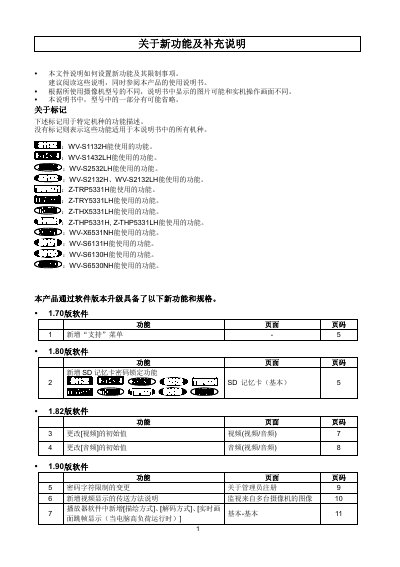
This document explains how to set up new functions and their limitations for i-PRO network cameras, including WV-S1132H and other listed models, using software version 1.70 and later. It lists added functions by software version, from 1.70 to 5.01, and gives page references to the related settings.
The described settings include the support menu, SD memory card password lock, video and audio default changes, user authentication, SNMP access restrictions, ONVIF settings, LLDP, and the NTP test function. This manual is written in Chinese.
| SD memory card password length | 4 to 16 characters |
|---|---|
| SD memory card password lock supported cards | SDHC and SDXC memory cards |
It explains how to set new functions and their limitations for i-PRO network cameras, and recommends reading it together with the product's operating instructions.
Only SDHC and SDXC memory cards support the password lock function.
The password can contain 4 to 16 characters.
The password cannot be removed, so the password must be managed carefully.