
This is a quick guide to ArcGIS 9.3 registration
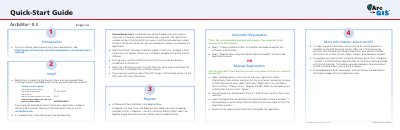
This one-page quick-start guide from ESRI covers installing ArcGIS Desktop (ArcEditor 9.3) from the installation DVD and registering the single use license. It describes automatic registration over the Internet and manual registration by e-mail, fax, mail, or via ESRI's website, including how to use an authorization file in *.esu9 format.
It also lists prerequisites such as reviewing system requirements, where to find registration numbers, hardware key handling for international users, and where to find more information through the ESRI Resource Centers and Support websites and ArcGIS Desktop Help.
At the end of the installation, click Register Now, or later navigate to Start > Programs > ArcGIS > Desktop Administrator, select the Register Single Use and Extensions folder, and click Register Now.
Existing users should use the ArcGIS Uninstall Utility to uninstall any previous installations of ArcGIS 9.x.
Registration numbers can be found in the e-mail you received from Customer Service ([email protected]) when you purchased your product.
Prior to installing, review the system requirements at the ESRI support system requirements page.