
This manual describes the configuration steps of IQ422, IQ4NC/00, IQ4NC/12 in detail, including installing power, configuring IP address, and connecting to IQ4xx.
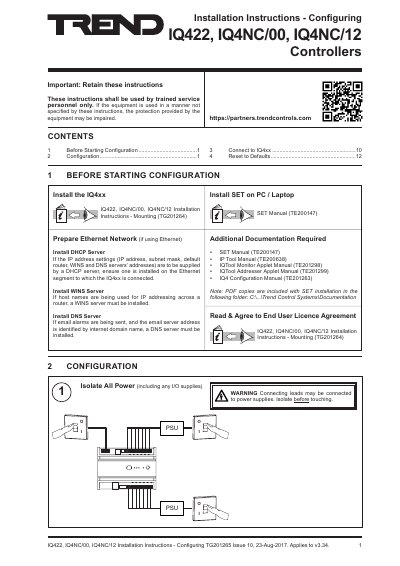
This document is the "Installation Instructions - Configuring" (TG201265, Issue 10, 23-Aug-2017, applies to v3.34) for Trend Control Systems IQ422, IQ4NC/00 and IQ4NC/12 controllers. It is intended for trained service personnel only and covers the steps needed before and during configuration, including installing the controller, preparing the Ethernet network, and the additional documentation required (SET Manual, IP Tool Manual, IQTool applet manuals and the IQ4 Configuration Manual).
The configuration section walks through isolating all power, opening the panel, peeling off the top serial label, setting the terminator switch (IQ4NC using MS/TP), connecting a PC or laptop via Ethernet hub/switch or direct connection, finding the controller by MAC address, setting up IP addressing (dynamic DHCP or static), configuring virtual CNCs, setting communication modes between Ethernet, current loop and MS/TP networks, setting up Ethernet access across routers, and assigning Trend device addresses and LAN numbers. It also explains LED status indications for power, watchdog, Ethernet and network connections.
| Ethernet cable | Standard Ethernet cable (Cat 5e twisted pair), max 100 m (109 yds) |
|---|---|
| IQ4NC virtual CNCs | 4 vCNCs, all enabled by default at addresses 4, 5, 6, and 7 |
| IQ422 virtual CNCs | 3 vCNCs, all disabled by default |
| vCNC port number range | 1 to 32767, defaults to 10000 plus the address |
| LAN number / local address range | 1, 4 to 9, 11 to 119 |
| Remote Trend Devices list | IP settings for up to 20 devices |
| Default factory addressing | Device address 11 to 119 on a rolling basis, LAN number 20 |
Dynamic (DHCP) addressing is the default; the unit obtains its IP address, subnet mask, default router, WINS and DNS server details from the network's DHCP server, and falls back to link/local mode if no DHCP server is found.
A standard Cat 5e twisted pair Ethernet cable can be up to 100 m (109 yds).
The IQ4NC has 4 vCNCs, all enabled by default at addresses 4, 5, 6, and 7, which may need to be disabled or reconfigured to avoid address conflicts.
All LEDs illuminate for several seconds after switch on; steady Power and Watchdog LEDs indicate normal operation, while a red Watchdog with Power on indicates a device fault and the controller should be reset to default settings.