
Portable battery‑powered node that connects a PC to a LonWorks bus via RS232, with out‑of‑box operation and low‑power mode.
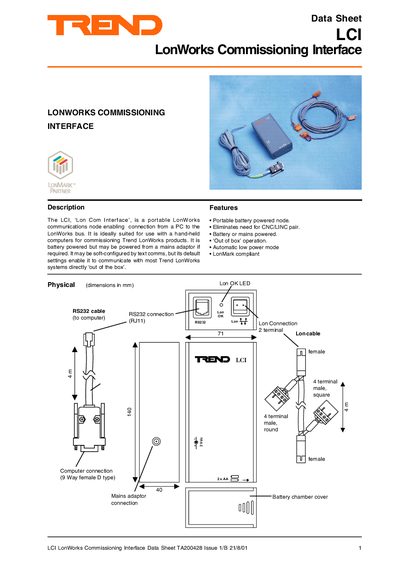
The LCI LonWorks Commissioning Interface is a portable node that links a PC to a LonWorks bus. It works out of the box with Trend LonWorks products and can be powered by two AA batteries or a 3 V DC mains adaptor. The device communicates over an RS232 port and includes a Lon cable for direct bus connection.
The unit contains a 3‑processor neuron chip, 64 KB flash and 8 KB RAM, and operates at 78 kbaud on the Lon network and 19.2 kbaud on RS232. Physical dimensions are 140 × 71 × 40 mm, weight 366 g, and it meets IP20 protection. A green Lon OK LED indicates successful network integration, and the device supports low‑power mode to extend battery life.
| CPU | 3‑processor neuron chip |
|---|---|
| Memory | 64 KB flash, 8 KB RAM |
| Lon network baud rate | 78 kbaud, transformer isolated |
| RS232 baud rate | 19.2 kbaud |
| Dimensions | 140 × 71 × 40 mm |
| Weight | 366 g |
| Operating temperature | 0 °C to 45 °C |
| Battery life (high power) | ≈8 hours continuous use |
| Battery life (low power) | ≈6 years in low‑power mode |
The RS232 port operates at a default baud rate of 19.2 kbaud.
The green Lon OK LED flashes every 24 seconds while the virtual LAN is being built and then stays on once communication is established.
By setting the Reset Node Flag (parameter z) to one via text communications, the LCI will reset.