
Measuring DC Voltage, AC Voltage, Resistance, Capacitance, Frequency, Duty Cycle, Diodes and Continuity
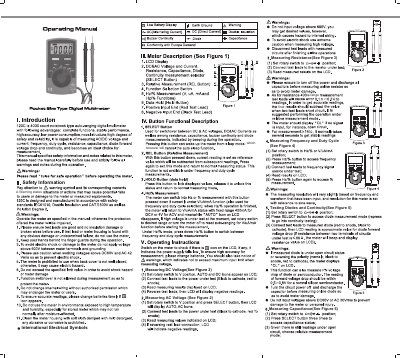
The 120C is a 4000-count notebook-type auto-ranging digital multimeter. The manual lists AC/DC voltage and current, frequency, duty cycle, resistance, capacitance, diode forward voltage drop, and continuity measurements.
It covers safety information and warnings, international electrical symbols, meter description, button functions, and operating steps for voltage, resistance, frequency/duty cycle, diode/continuity, and capacitance. The safety section cites IEC61010, double insulation, CATI600V, pollution degree 2, and a 600 V terminal-to-ground limit.
| Display count | 4000 counts |
|---|---|
| Measurement functions | AC/DC voltage and current, frequency, duty cycle, resistance, capacitance, diode forward voltage drop, continuity |
| Safety standard | IEC61010, double insulation, CATI600V, pollution degree 2 |
| Maximum terminal-to-ground voltage | 600 V |
| Normal silicon diode forward voltage drop | 0.5 to 0.8 V |
It is a 4000-count auto-ranging digital multimeter.
Turn off the power and discharge all capacitors before measuring an online resistor.
Set the rotary switch to the capacitance position and press SELECT three times.
It sets the current reading as a reference value that is subtracted from later readings.