
This file introduces the Bacharach HGM-MZ to LonWorks FT-10 Communications Adapter installation method. The adapter can enable Bacharach HGM-MZ Refrigerant Monitor to communicate with a LonWorks FT-10 Free Topology network.
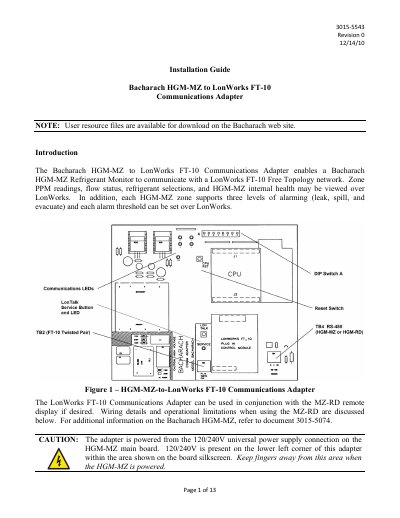
This guide provides step-by-step instructions for installing the Bacharach HGM-MZ to LonWorks FT-10 Communications Adapter. It covers mounting the board, connecting power and wiring, setting DIP switches for address and alarm acknowledgment, and configuring network variables. The adapter enables HGM-MZ refrigerant monitors to communicate with LonWorks FT-10 networks, supporting zone readings, alarms, and status monitoring.
The guide also explains how to identify the adapter on the network using service PIN, Neuron chip ID, or Wink commands. It includes details for using the MZ-RD remote display or laptop PCs for configuration, and notes on safety precautions when handling the 120/240V power supply.
Set the HGM-MZ’s internal “terminator” slide switch next to the RS-485 terminal block to the “In” position.
Switches 5-8 on DIP switch A of the Adapter Board are used to match the node address set on the HGM-MZ’s address DIP switch.