
Key facts
- Manuals
- 2
- Languages
- EN
- Last added
- 2026-11-07
Featured Bacharach manuals
Bacharach 0017-7000 Series Manometer Gas Pressure Gauge Operation and Maintenance Manual
The document covers Bacharach manometer gas pressure gauges with reversible scales for measuring inches of water, centimeters of water, and ounces per square inch. It includes warranty information, operating instructions for connecting to a gas line and reading manifold pressure, application guidance for determining firing rates, and maintenance procedures such as reversing the scale, adding indicating fluid, and replacing parts.
A detailed parts list with part numbers and descriptions is provided for all models, along with an exploded view diagram. The manual specifies using only Bacharach Fluid 0017-0025 and warns that water will not operate in certain models due to blow-over seals.
Covers: Warranty · Operating Instructions · Connecting to Gas Line · Reading-Adjusting Manifold Pressure · Application Instructions · Maintenance Instructions
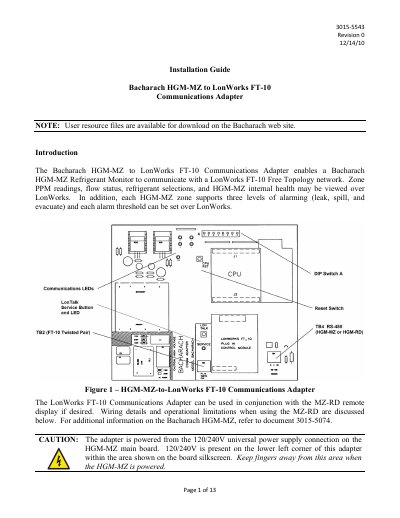
Bacharach HGM-MZ to LonWorks FT-10 Communications Adapter Installation Guide
This guide provides step-by-step instructions for installing the Bacharach HGM-MZ to LonWorks FT-10 Communications Adapter. It covers mounting the board, connecting power and wiring, setting DIP switches for address and alarm acknowledgment, and configuring network variables. The adapter enables HGM-MZ refrigerant monitors to communicate with LonWorks FT-10 networks, supporting zone readings, alarms, and status monitoring.
The guide also explains how to identify the adapter on the network using service PIN, Neuron chip ID, or Wink commands. It includes details for using the MZ-RD remote display or laptop PCs for configuration, and notes on safety precautions when handling the 120/240V power supply.
Covers: Adapter Installation · Wiring Details · DIP Switch Configuration · Network Identification · Alarm Acknowledge Options · LonWorks Objects and Network Variables
Latest Bacharach manuals
Bacharach 0017-7000 Series Manometer Gas Pressure Gauge Operation and Maintenance Manual
User Manual 7 pages · 85 KB · ENThis manual provides operation and maintenance instructions for Bacharach manometer gas pressure gauges (models 0017-7000, 0017-7002, 0017-7008, 0017-7013…
Bacharach HGM-MZ to LonWorks FT-10 Communications Adapter Installation Guide
Installation Guide 13 pages · 447 KB · ENInstallation guide for the Bacharach HGM-MZ to LonWorks FT-10 Communications Adapter, covering wiring, DIP switch configuration, and network integration.
Which document do I need?
User Manual
Day-to-day operation, settings and troubleshooting. Start here if the product is already set up.
Installation Guide
Mounting, wiring and first power-up. Read it before the hardware goes in.
Questions answered in Bacharach manuals
How do I read the manifold pressure on the gauge?
Slide the scale up until the zero scale arrow is opposite the top of the low (right-hand) liquid column, then read the gas manifold pressure on the scale opposite the top of the higher (left-hand) liquid column. This is a direct reading; do not multiply by 2.
From: Bacharach 0017-7000 Series Manometer Gas Pressure Gauge Operation and Maintenance Manual
How do I reverse the scale on model 0017-7002 to read ounces per square inch?
Close both valves, remove the screw, press the retaining ring out of the grooves, lift off the front cover, remove the scale knob, scale clamp cover, and scale clamp screw, reverse the scale, and reassemble.
From: Bacharach 0017-7000 Series Manometer Gas Pressure Gauge Operation and Maintenance Manual
How do I set the HGM-MZ’s internal terminator switch?
Set the HGM-MZ’s internal “terminator” slide switch next to the RS-485 terminal block to the “In” position.
From: Bacharach HGM-MZ to LonWorks FT-10 Communications Adapter Installation Guide
What DIP switch setting matches the HGM-MZ’s address?
Switches 5-8 on DIP switch A of the Adapter Board are used to match the node address set on the HGM-MZ’s address DIP switch.
From: Bacharach HGM-MZ to LonWorks FT-10 Communications Adapter Installation Guide