
This Quick Install Guide covers the IQM-GBA Flush Ceiling mount for the Alliance-mx camera domes.
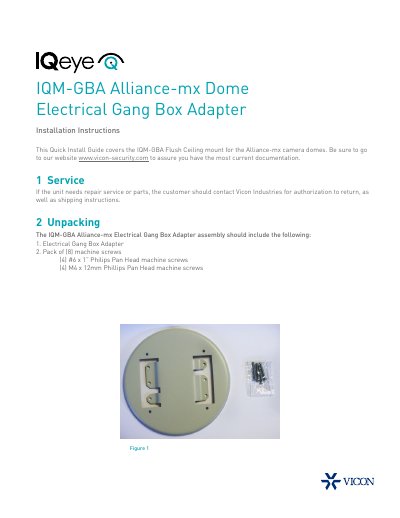
This quick install guide from Vicon describes how to install the IQM-GBA Electrical Gang Box Adapter, a flush ceiling mount for Alliance-mx camera domes. It lists the contents of the adapter assembly and gives the steps for routing cable and attaching the adapter and camera.
The guide covers service contact information, unpacking, and the three installation steps: routing the Ethernet cable and fastening the adapter with the four supplied #6 x 1" machine screws, attaching the Alliance-mx series camera with the four M4 x 12mm machine screws and sealing washers, and fitting the dome trim ring cover with shroud using the supplied Torx T-20 security wrench.
| Included hardware | Electrical Gang Box Adapter and pack of (8) machine screws |
|---|---|
| Adapter mounting screws | 4x #6 x 1” Phillips Pan Head machine screws |
| Camera mounting screws | 4x M4 x 12mm Phillips Pan Head machine screws |
| Trim ring screw tool | Torx T-20 security wrench |
The assembly includes the Electrical Gang Box Adapter and a pack of eight machine screws: four #6 x 1” and four M4 x 12mm Phillips Pan Head screws.
The adapter is attached with the four supplied #6 x 1” machine screws.
It is attached with the four M4 x 12mm machine screws and sealing washers supplied with the Alliance-mx dome camera.
The three tamper-proof screws are tightened with the Torx T-20 security wrench supplied with the Alliance-mx camera.