
MSA G1 SCBA Radio Pairing Guide for Harris XL-185P / XL-200P

This document introduces Harris XL-185P | XL-200P radio pairing with G1 SCBA, including configuration settings, creating configuration tag, creating radio pairing tag, pairing, usage, clearing pairing info, etc.
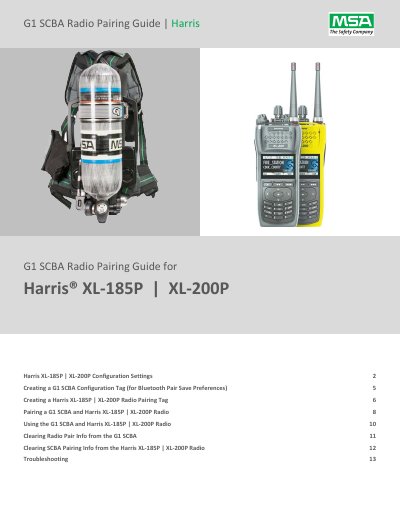

MSA G1 SCBA Radio Pairing Guide for Harris XL-185P / XL-200P - cover page
Brand
MS­A
Category
Communications equipment
Document type
User Manual
Language
English
Pages
13
File format
PDF
File size
971 KB
Published
26 October, 2023
Updated
26 October, 2023
MD5 checksum
E848A677D7D9FE640229B265C9D1A028

About this manual

This guide covers configuration settings for Harris XL-185P and XL-200P radios in RPM2 and the MSA A2 Software settings for the G1 SCBA Bluetooth radio and Bluetooth Pair Save preference.

It also explains how to create a Bluetooth Audio Pairing Tag, pair a G1 SCBA with a Harris radio, use the paired system, clear pairing information from the SCBA or radio, and troubleshoot.

What's inside

  • Harris XL-185P | XL-200P Configuration Settings
  • Creating a G1 SCBA Configuration Tag (for Bluetooth Pair Save Preferences)
  • Creating a Harris XL-185P | XL-200P Radio Pairing Tag
  • Pairing a G1 SCBA and Harris XL-185P | XL-200P Radio
  • Using the G1 SCBA and Harris XL-185P | XL-200P Radio
  • Clearing Radio Pair Info from the G1 SCBA
  • Clearing SCBA Pairing Info from the Harris XL-185P | XL-200P Radio
  • Troubleshooting

Frequently asked questions

What happens if I leave the Bluetooth menu while pairing?

Leaving the Bluetooth menu turns discoverability OFF again, and pairing will fail.

How long does the G1 SCBA search for a pairing partner?

It searches for 8 minutes; repeat the pairing process if 8 minutes is exceeded.

What Mic Gain setting is recommended for the Harris radio?

Set Mic Gain to 8 dB.

How do I enable Bluetooth on the G1 SCBA?

In the Bluetooth Settings section of the G1 Configuration Tag, change Bluetooth Disabled/Enabled to Enabled.

Download PDF (971 KB)

More MS­A Manuals


View all MS­A manuals →