
Explains how to use Philips telephone
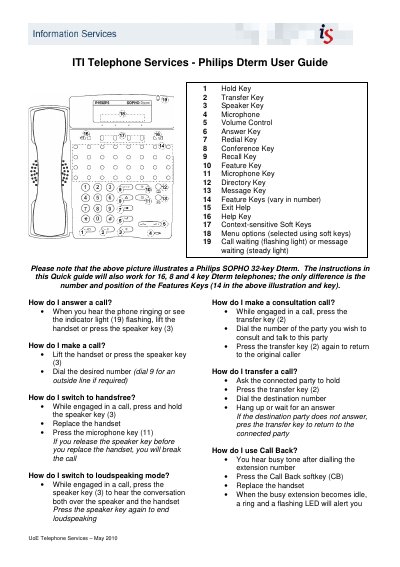
This guide explains how to use the Philips Dterm telephone for basic operations like answering calls, making calls, switching to hands-free, and transferring calls. It also covers advanced features such as conference calling, call back, saving numbers, and call diversion. The instructions apply to 16, 8, and 4-key versions with only minor differences in feature key layout. This manual is written in Chinese.
Lift the handset or press the speaker key (3).
Press the transfer key (2), dial the party, then press transfer key (2) again to return to the original caller.
Ask the connected party to hold, press transfer key (2), dial the destination, then hang up or wait for an answer.
Press directory key (12), select entry, press ENTRY, NAME, enter name, SET, NUMBER, enter number, SET.