
This is the instruction manual for the HPX-EG series photoelectric switch
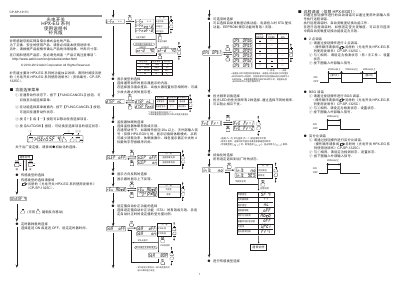
This document is a supplementary user manual for the Azbil HPX-EG series photoelectric switches. It details how to use the device's functions, including automatic sensitivity switching, EEPROM saving, and remote tuning. Users are advised to read the main manual (CP-SP-1325C) for full specifications and dimensions.
The guide explains how to navigate the function selection menu to configure settings such as sensor type, display direction, and timer types. It also provides specific procedures for the STA (Setting Value Automatic Correction) function to stabilize detection values against environmental changes, and outlines troubleshooting steps for tuning errors. This manual is written in Chinese.
| Switching Current | 30mA or less (Standard/Save Wiring Type) |
|---|---|
| Operating Temperature | -20~+55°C (single installation) |
| Protection Class | IP40 |
The operating voltage is 12~24Vdc+109/-15%.
The maximum power consumption is 750mW or less.
The output voltage is 26.4Vdc.
The maximum ambient temperature is +55°C for single installation, or lower for dense installations.