
This TEXECOM Premier 816 Operation Guide introduces how to use the TEXECOM Premier 816 alarm system to arm and disarm, including system ready status, system arming, system disarming, system bypassing, checking previous alarms, and sounding alarm zones
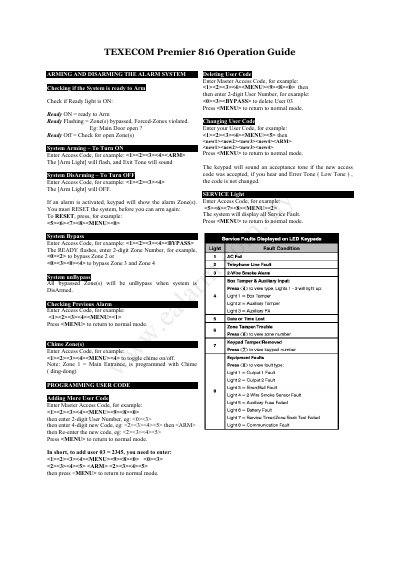
This guide explains how to arm and disarm the Texecom Premier 816 alarm system using access codes. It details how to bypass or isolate zones, toggle chime settings, and manage user codes. The guide also covers service fault diagnostics, including tamper and communication issues.
The document includes both English and Chinese text, with instructions for checking system status, resetting the system, and viewing fault codes via the keypad.
Enter the access code. The [Arm Light] will flash, and an exit tone will sound.
Enter the access code. The [Arm Light] will turn off.
Enter the access code, then press