
Special UEN (SUN) service provides entity owners an option to choose, at a fee, a preferred Unique Entity Number (UEN) from a list of reserved UENs during entity incorporation/registration and entity conversion process.
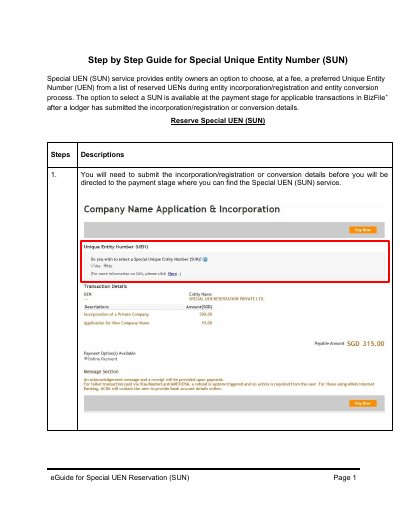
This guide explains how to reserve a Special Unique Entity Number (SUN) during business registration or conversion. Users must submit details first, then select SUN at payment stage. They choose a transaction, category, and search for available SUNs. A SUN is reserved for 30 minutes and must be paid for within that time. If payment is not completed, the SUN is released for others.
The guide also covers how to change or remove a selected SUN before payment, including navigating back to the payment page after adjustments.
The SUN is reserved for 30 minutes.
Your selected SUN will be withdrawn and made available to others.
Click on the cross icon ‘X’ to remove the selected SUN.