
Sungrow SBR HV Battery Installation Quick Guide

Sungrow SBR HV Battery Installation Quick Guide
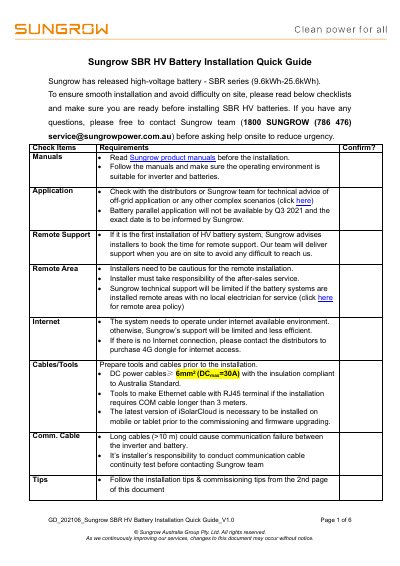

Sungrow SBR HV Battery Installation Quick Guide - cover page
Brand
Sungrow
Category
Other Electronics
Document type
Installation Guide
Language
English
Pages
6
File format
PDF
File size
790 KB
Published
20 October, 2023
Updated
20 October, 2023
MD5 checksum
CCBA5D68B52E2F50DD6DCF3BFC4B50CA

About this manual

This document provides a quick guide for installing the Sungrow SBR series high-voltage battery (9.6kWh-25.6kWh). It outlines essential pre-installation requirements, including the need for internet access, specific tools, and cable specifications compliant with Australian standards. The guide also details policies for remote support and installation in remote areas.

What's inside

  • Check Items Requirements
  • Installation Tips
  • Installation process
  • Commissioning Tips
  • Battery Inspection
  • Communication check
  • Battery Settings
  • Quick test

Specifications

Battery Capacity Range9.6kWh-25.6kWh
DC Power Cable Size≥ 6mm2
Default SOC Range5%-100%

Frequently asked questions

What is the default SOC range for the SBR battery?

The default setting for the SOC upper and lower limit is 5% to 100%.

What is the default password for local access via iSolarCloud?

The default password for local access is pw8888.

What happens if the system stays in 'under commissioning' for more than 15 minutes?

You should contact the Sungrow service team.

Download PDF (790 KB)

More Sungrow Manuals


View all Sungrow manuals →