
8860 Dual Channel Conductivity/Resistivity Controller Installation
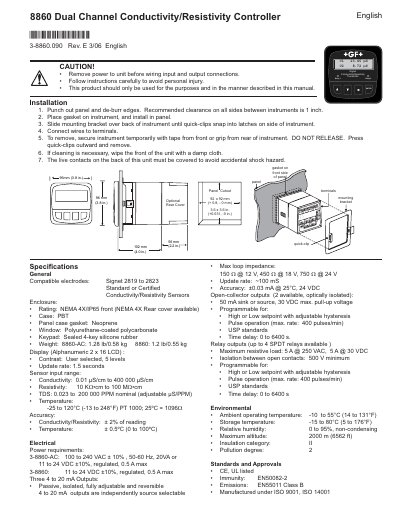
This document provides installation instructions for the Signet 8860 Dual Channel Conductivity/Resistivity Controller. It covers panel preparation, mounting the instrument, and connecting power and sensor cables. The guide includes specific wiring procedures for terminals and relays, emphasizing safety precautions regarding live contacts and AC power.
| Conductivity range | 0.01 µS/cm to 400 000 µS/cm |
|---|---|
| Resistivity range | 10 K Ω•cm to 100 M Ω•cm |
| Temperature range | -25 to 120°C (-13 to 248°F) |
| Conductivity accuracy | ± 2% of reading |
| Power requirements (AC) | 100 to 240 VAC ± 10%, 50-60 Hz, 20VA |
| Power requirements (DC) | 11 to 24 VDC ±10%, regulated, 0.5 A max |
| Output update rate | ~100 mS |
| Maximum altitude | 2000 m (6562 ft) |
A recommended clearance of 1 inch on all sides between instruments is required.
Secure the instrument temporarily with tape or grip from the rear, then press the quick-clips outward to remove.
The maximum cable length is 25 ft, and solution temperatures must be between 20°C and 100°C.
The key code is UP-UP-UP-DOWN keys in sequence.