
This guide is designed to help you understand how to use the X-Rite Video ColorChecker to evaluate and adjust color matching in video and film production.
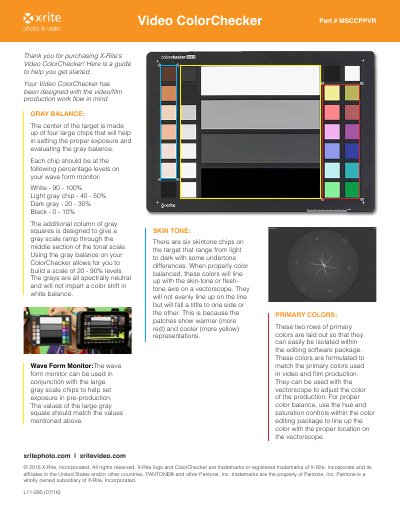
The X-Rite Video ColorChecker is designed for video and film production workflows. It features primary colors formulated to match video and film standards, allowing users to adjust color using vectorscopes. The target includes six skin tone chips ranging from light to dark with various undertones to help align with the skin-tone axis on a vectorscope.
| Gray Balance Levels | White - 90 - 100%, Light gray chip - 40 - 50%, Dark gray - 20 - 30%, Black - 0 - 10% |
|---|---|
| Gray Scale Range | 20 - 90% levels |
| Skin Tone Chips | six skintone chips |
Set the white chip to 90-100%, light gray to 40-50%, dark gray to 20-30%, and black to 0-10% on your waveform monitor.
They range from light to dark with undertone differences to help line up with the skin-tone or flesh-tone axis on a vectorscope when properly color balanced.
It is a spectrally neutral target that reflects light evenly across the visible spectrum to provide a neutral reference point for custom white balance.