
Key facts
- Manuals
- 7
- Languages
- ZH · EN · JA
- Last added
- 2026-10-03
Featured X-Rite manuals
X‑Rite iQC/iMatch Software User Manual
This manual provides step‑by‑step instructions for installing the Color iQC/iMatch software, setting up compatible spectrophotometers, and registering the product for activation. It also covers language selection, instrument calibration, and data management within the software.
Additional sections describe quality‑control (QC) applications, various measurement modes, template creation, UV calibration, and detailed color‑matching procedures for textile, paint, and plastic industries. This manual is written in Chinese.
Covers: Software Installation · Instrument Installation · Software Registration & Activation · QC (Quality Control) Application · Language Selection · Instrument Calibration
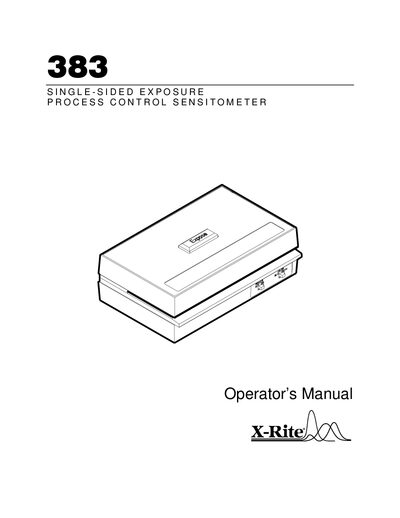
X‑Rite 383 Single‑Sided Exposure Process Control Sensitometer Operator’s Manual
The X‑Rite 383 Sensitometer is a battery‑operated, dual‑color, single‑sided exposure device used for quality control of cine and x‑ray processing systems. It delivers repeatable stepped exposures with blue or green light to match intensifying screens.
This manual covers getting started, power connection, color and exposure settings, film exposure procedures, routine maintenance, battery replacement, applications, processor control monitoring, and troubleshooting. Warranty terms and service information are also included.
Covers: Specifications · Getting Started · Operation · Maintenance · Applications · Processor Troubleshooting
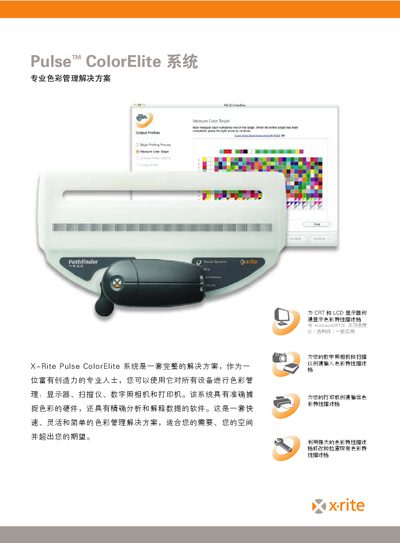
X-Rite Pulse ColorElite System User Manual
The Pulse ColorElite system provides a complete color management workflow for professionals, including a handheld spectrophotometer, a Pathfinder scanning board, a high‑precision colorimeter, and advanced software that creates ICC profiles for monitors, scanners, cameras and printers.
The manual describes how each component works together, how to connect the devices via USB, and how to use the software’s editing tools, barcode indexing, and feedback features to achieve accurate and repeatable color results. This manual is written in Chinese.
Covers: System Overview · Pulse Spectrophotometer · Pulse Pathfinder Scanning Board · Software Features · Hardware Specifications · Connecting to a Computer
X‑Rite Pulse ColorElite System User Manual
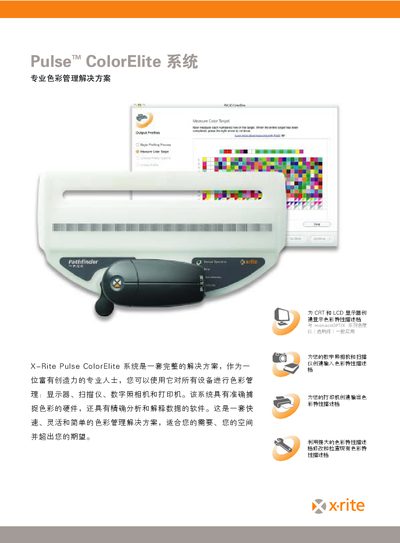
The Pulse ColorElite system provides a complete color‑management workflow for professionals, covering monitors, scanners, digital cameras and printers. It combines a handheld spectrophotometer, a Pathfinder scanning board, a high‑precision colorimeter and advanced software to create accurate ICC profiles.
The manual describes each hardware element, software capabilities such as ICC profile creation, and practical steps for connecting the devices via USB, storing up to 3000 color patches, and operating within the specified temperature and humidity ranges. This manual is written in Chinese.
Covers: System Overview · Pulse Spectrophotometer · Pulse Pathfinder Scanning Board · Pulse ColorElite Software · MonacoOPTIX Colorimeter · Hardware Specifications
Latest X-Rite manuals
X‑Rite iQC/iMatch Software User Manual
User Manual 45 pages · 8.7 MB · ZHThe X‑Rite iQC/iMatch software user manual explains installation, registration, calibration and color‑matching workflows.
X‑Rite 383 Single‑Sided Exposure Process Control Sensitometer Operator’s Manual
User Manual 22 pages · 281 KB · ENThe X‑Rite 383 Sensitometer Operator’s Manual provides specifications, setup, operation, maintenance, and warranty information for the battery‑operated…
MonacoOPTIX user manual
X-Rite Pulse ColorElite System User Manual
User Manual 4 pages · 1.5 MB · ZHThe X-Rite Pulse ColorElite System User Manual explains the color management solution, its components, and how to calibrate devices.
X‑Rite Pulse ColorElite System User Manual
User Manual 4 pages · 1.5 MB · ZHThe X‑Rite Pulse ColorElite System User Manual explains the color‑management solution, its hardware components, software features, and how to calibrate devices.
X‑Rite EZcolor User Manual
User Manual 111 pages · 9.2 MB · JAThe X‑Rite EZcolor User Manual provides installation steps and detailed instructions for creating and managing color profiles for monitors, cameras, and…
X-Rite PlateScope XRD60 User Manual
User Manual 35 pages · 934 KB · ZHThe X‑Rite PlateScope XRD60 user manual provides setup, operation, power options, battery care, and specifications.
Which document do I need?
User Manual
Day-to-day operation, settings and troubleshooting. Start here if the product is already set up.
Questions answered in X-Rite manuals
What type of battery does the X‑Rite 383 Sensitometer use?
It uses a 9 V alkaline battery.
From: X‑Rite 383 Single‑Sided Exposure Process Control Sensitometer Operator’s Manual
How long will the battery last in normal use?
The battery provides approximately one year of operation.
From: X‑Rite 383 Single‑Sided Exposure Process Control Sensitometer Operator’s Manual
How many color patches can the Pulse spectrophotometer store?
It can store up to 3000 color patches.
How does the device connect to a computer?
The Pulse devices connect to a computer via USB.
How many color patches can the Pulse device store?
It can store up to 3000 color patches.
How does the Pulse device connect to a computer?
The device connects via a USB interface.