
This is a USB-Link™ 3 installation and setup manual, which introduces the wireless and wired editions installation
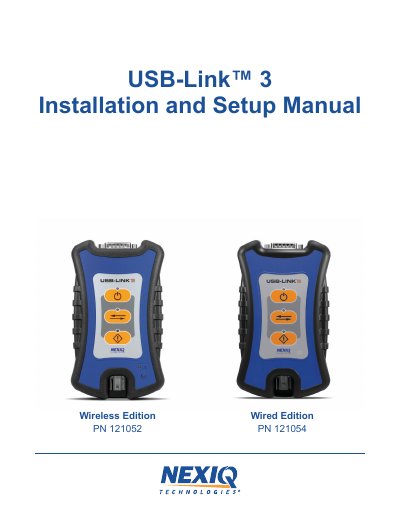
The USB-Link 3 is a hardware device that enables service bay technicians to use personal computers or laptops to retrieve vehicle information using Bluetooth, Wi-Fi, or a USB cable connection. This manual covers the Wireless Edition (PN 121052) and the Wired Edition (PN 121054). Once configured, the USB-Link 3 interfaces with specific PC applications to perform vehicle diagnostics.
The document includes a component checklist, product specifications, system requirements, device features, and wired versus wireless communication options. It then describes installing NEXIQ drivers and utilities, connecting the device to a vehicle, pairing the device, testing the connection, and using the USB-Link 3 Explorer utility.
| Physical Dimensions | 6.75” x 3.75” x 1.06” (171 mm x 95 mm x 27 mm) |
|---|---|
| Weight | 8 oz. (0.22 kg) |
| Power Requirements | 6 - 32 VDC @ 350 mA maximum |
| Operating Temperature | 0 to +50 °C |
| API Driver | TMC RP1210A, RP1210B, and RP1210C compliant |
| USB Communication | USB version 2.0 |
| USB Connector | Latching USB Mini-B |
| Wired Communication | Automotive A to Mini-B USB cable 13 ft. (4 m) maximum |
| Wireless Communication - Bluetooth | Bluetooth Class 1 adapter, up to 50 ft range |
| Wireless Communication - Wi-Fi | Dual band Wi-Fi (802.11 AC) |
| Vehicle Connector | High Density D-sub 26-pin Male (HD26M) |
The package includes the USB-Link 3, a latching USB cable, a 9-pin Deutsch adapter, a 16-pin J1962 OBD II adapter, a carrying case, and a Quick Start Guide.
It operates from 6 to 32 VDC at a maximum of 350 mA.
Select Tools > Ping, enter the device’s IP address, click Start, then click Stop and Close.
The Bluetooth Class 1 adapter has a range of up to 50 ft.