
Key facts
- Manuals
- 2
- Languages
- EN
- Last added
- 2023-10-19
Featured NEXIQ Technologies manuals
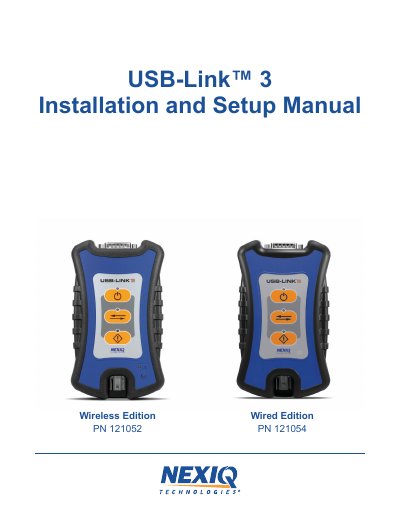
NEXIQ Technologies USB-Link 3 Vehicle Diagnostic Adapter Installation and Setup Manual
The USB-Link 3 is a hardware device that enables service bay technicians to use personal computers or laptops to retrieve vehicle information using Bluetooth, Wi-Fi, or a USB cable connection. This manual covers the Wireless Edition (PN 121052) and the Wired Edition (PN 121054). Once configured, the USB-Link 3 interfaces with specific PC applications to perform vehicle diagnostics.
The document includes a component checklist, product specifications, system requirements, device features, and wired versus wireless communication options. It then describes installing NEXIQ drivers and utilities, connecting the device to a vehicle, pairing the device, testing the connection, and using the USB-Link 3 Explorer utility.
Covers: Component Checklist · Product Specifications · System Requirements · Device Features · Communication Options: Wired vs Wireless · Step 1: Install the Drivers
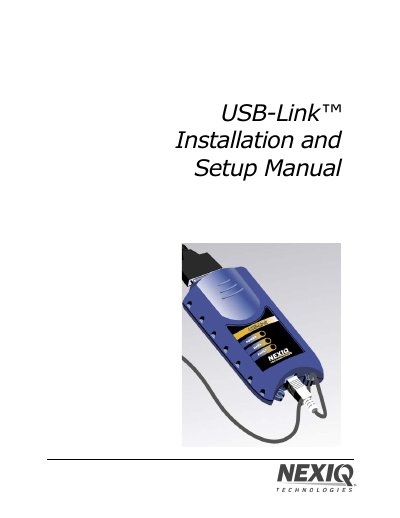
NEXIQ Technologies USB-Link Vehicle Diagnostic Device Installation and Setup Manual
The USB-Link is a hardware device that enables service bay PCs to retrieve vehicle information using either Bluetooth wireless technology or a cable connection. The manual introduces the device, lists specifications and system requirements, explains installation and Bluetooth configuration, and describes connecting and pairing with a vehicle.
It also covers testing the connection to the vehicle, setting up diagnostic PC applications, troubleshooting LED, configuration, and wireless communication issues, and choosing cable adapters by part number.
Covers: Product Specifications · System Requirements · USB-Link Components · Communication Options: Wireless or Wired? · Installation and Bluetooth Configuration · Connect the USB-Link to a Vehicle
Latest NEXIQ Technologies manuals
NEXIQ Technologies USB-Link 3 Vehicle Diagnostic Adapter Installation and Setup Manual
Installation Guide 53 pages · 2.1 MB · ENInstallation and setup manual for the NEXIQ Technologies USB-Link 3 vehicle diagnostic adapter, covering drivers, connections, and testing.
NEXIQ Technologies USB-Link Vehicle Diagnostic Device Installation and Setup Manual
Installation Guide 85 pages · 2.5 MB · ENNEXIQ Technologies USB-Link installation and setup manual covering drivers, Bluetooth or USB connection, vehicle pairing, testing, diagnostic apps, and…
Which document do I need?
Installation Guide
Mounting, wiring and first power-up. Read it before the hardware goes in.
Questions answered in NEXIQ Technologies manuals
What components are included with the USB-Link 3?
The package includes the USB-Link 3, a latching USB cable, a 9-pin Deutsch adapter, a 16-pin J1962 OBD II adapter, a carrying case, and a Quick Start Guide.
From: NEXIQ Technologies USB-Link 3 Vehicle Diagnostic Adapter Installation and Setup Manual
What are the USB-Link 3 power requirements?
It operates from 6 to 32 VDC at a maximum of 350 mA.
From: NEXIQ Technologies USB-Link 3 Vehicle Diagnostic Adapter Installation and Setup Manual
What operating systems are supported?
The USB-Link supports Windows XP and Windows 7.
From: NEXIQ Technologies USB-Link Vehicle Diagnostic Device Installation and Setup Manual
Does the USB-Link support Integrated Bluetooth?
No. If your PC has Integrated Bluetooth, you must uninstall Integrated Bluetooth and its drivers before installation.
From: NEXIQ Technologies USB-Link Vehicle Diagnostic Device Installation and Setup Manual